
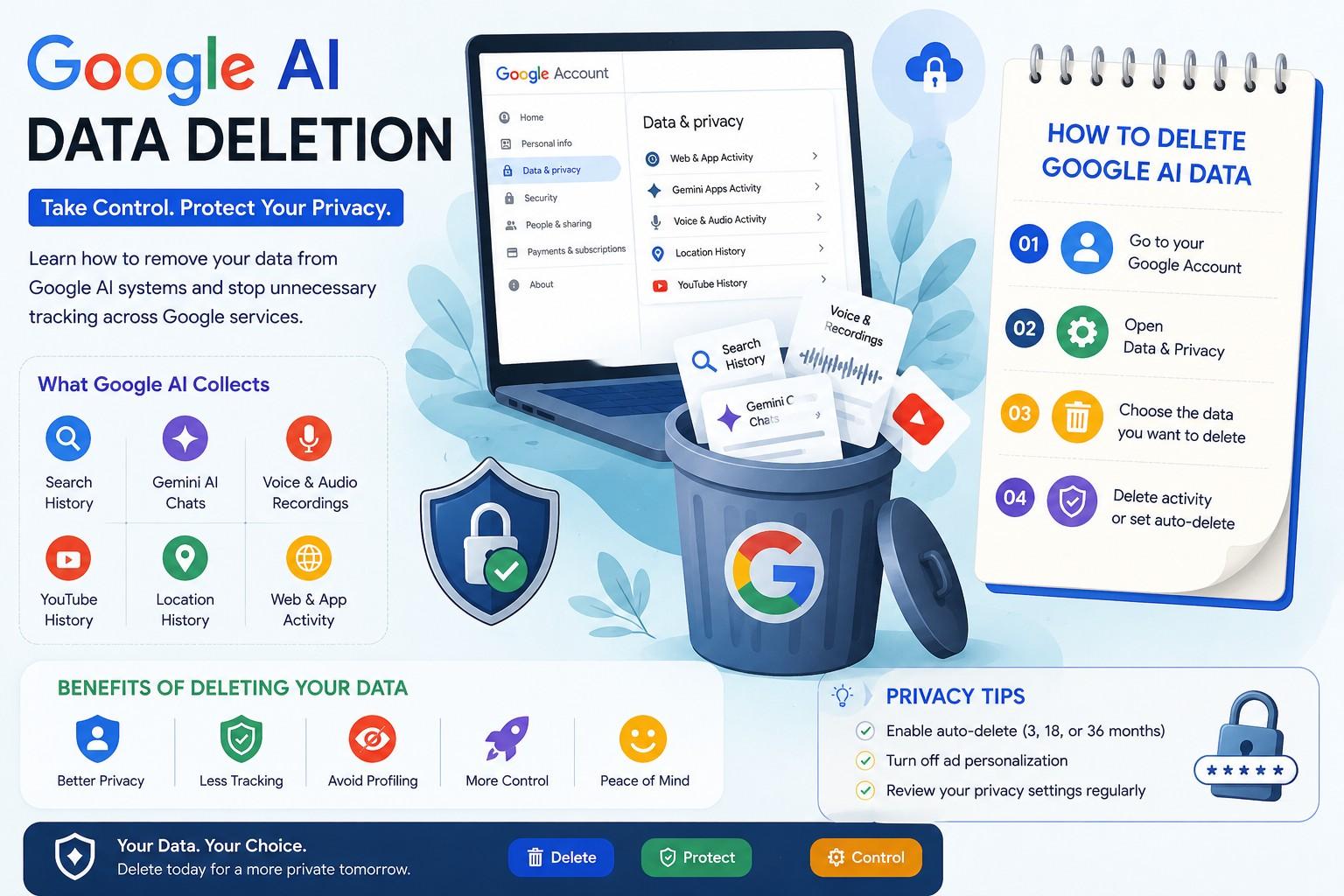
Artificial intelligence tools are now built into almost every Google product. From search suggestions to AI-generated answers in Gemini, Google uses user activity to improve its systems. That has created a major concern for millions of users: how can you control or remove your personal data?
If you have searched for “Google AI data deletion,” you are likely trying to understand what Google stores, how AI systems use your information, and whether you can permanently delete it.
The good news is that Google now offers more privacy controls than before. However, many settings are hidden, confusing, or spread across different dashboards. This guide explains everything in simple language, including how to delete AI-related data, stop future collection, and protect your privacy moving forward.
Why Google Collects AI Data
Google uses data to train and improve AI tools across products like:
- Google Search
- Gemini AI
- Google Assistant
- Gmail smart features
- Google Photos
- YouTube recommendations
- Android personalization
The company analyzes interactions such as:
- Search history
- Voice recordings
- App usage
- AI chat prompts
- Location history
- Browsing activity
- Uploaded files and images
This information helps Google improve accuracy, personalization, and machine learning models. Still, many users are uncomfortable with how much information is collected.
That is why interest in Google AI data deletion has increased sharply since AI tools became mainstream.
What Data Does Google AI Store?
Google AI systems can store different categories of personal information depending on the services you use.
Search and Web Activity
Google records searches, clicked links, and browsing behavior when Web & App Activity is enabled.
This may include:
- Search terms
- Device information
- IP address
- Browser activity
- Search interactions with AI Overviews
Gemini AI Conversations
When you interact with Google Gemini, prompts and responses may be stored temporarily or permanently, depending on your settings.
These chats can include:
- Questions
- Uploaded files
- Personal notes
- Coding requests
- Business information
Voice and Audio Data
Google Assistant and voice search can save recordings to improve speech recognition.
Examples include:
- Voice commands
- Smart home requests
- Audio searches
Location and Maps History
Google Maps collects movement data to improve recommendations and navigation.
Stored information may include:
- Places visited
- Travel routes
- Frequent locations
How Google AI Uses Your Data
Many users assume data is only used for personalization. In reality, Google AI systems may also use information for:
- Training machine learning models
- Improving AI accuracy
- Detecting spam and abuse
- Enhancing search algorithms
- Testing new AI features
Google states that some human reviewers may analyze anonymized interactions to improve products.
This is one of the biggest reasons users search for Google AI data deletion solutions.
How to Delete Google AI Data
Removing AI-related information from Google requires several steps because the data is stored across multiple systems.
Delete Web & App Activity
This setting controls much of the information used across Google services.
Steps to Delete Activity
- Open your Google Account
- Go to “Data & Privacy”
- Select “Web & App Activity”
- Click “Manage Activity”
- Choose:
- Delete today
- Delete custom range
- Delete all time
You can also enable auto-delete every 3, 18, or 36 months.
Deleting this history reduces how much data Google AI can access moving forward.
Delete Gemini AI Chat History
Why This Matters
Gemini conversations may contain sensitive information. Many users do not realize these chats can remain stored even after closing the app.
How to Remove Gemini Activity
- Open Gemini
- Click your profile icon
- Go to “Gemini Apps Activity”
- Turn activity tracking off
- Delete previous conversations
Google may still temporarily retain some data for security and abuse prevention purposes.
Extra Privacy Tip
Avoid sharing:
- Financial details
- Passwords
- Private documents
- Medical information
inside AI prompts.
Remove Voice Recordings From Google Assistant
Delete Audio History
- Visit your Google Account
- Open “Data & Privacy”
- Find “Web & App Activity”
- Disable “Include voice and audio activity.”
- Delete stored recordings manually
You can also review individual recordings before deletion.
This is one of the most overlooked parts of Google AI data deletion.
Delete YouTube AI Recommendation History
YouTube’s recommendation engine heavily relies on AI.
To reset recommendations:
- Pause watch history
- Delete watch history
- Delete search history
- Disable personalized ads
This reduces AI profiling across YouTube and Google Ads systems.
How to Turn Off AI Personalization
Many users want reduced tracking instead of complete deletion.
Disable Ad Personalization
Go to Google Ad Settings and turn off personalized advertising.
This limits:
- AI-driven ad targeting
- Behavioral tracking
- Interest profiling
Turn Off Smart Features
Inside Gmail and Workspace settings, disable:
- Smart Compose
- Smart Reply
- AI personalization tools
These features often analyze email content to improve predictions.
Does Google Fully Delete AI Data?
This is where things become complicated.
Google says deleted information is removed from active systems, but some data may remain temporarily in backup or security systems.
Important Details
- Some deleted data may stay for legal reasons
- AI model training data may not be reversible
- Aggregated or anonymized information may remain usable
In simple terms, deleting activity reduces exposure but may not erase every historical trace from AI systems instantly.
This is a critical point often missing from competitor articles about Google AI data deletion.
Google Auto-Delete Settings Explained
Google now offers automatic deletion tools that help reduce long-term storage.
Available Options
You can automatically remove:
- Search activity
- Location history
- YouTube history
after:
- 3 months
- 18 months
- 36 months
For privacy-focused users, 3 months is usually the safest option.
How to Download Your Google Data Before Deletion
Before deleting information, many users prefer to keep a backup.
Use Google Takeout
Google Takeout allows you to export:
- Emails
- Photos
- Search history
- YouTube data
- AI-related activity logs
This is useful if you later need old files or records.
Common Mistakes During Google AI Data Deletion
Many people think clearing browser history is enough. It is not.
Mistakes to Avoid
- Only deleting browser cache
- Forgetting the Gemini activity
- Leaving voice tracking enabled
- Ignoring YouTube history
- Keeping Web & App Activity active
- Assuming incognito mode stops all tracking
Proper deletion requires checking multiple Google settings.
Is Google AI Data Deletion Worth It?
For many users, yes.
Benefits include:
- Better privacy
- Reduced profiling
- Less personalized tracking
- Lower risk of data exposure
- Greater control over online activity
However, there are trade-offs.
You may notice:
- Less accurate recommendations
- Reduced personalization
- Weaker smart assistant responses
The decision depends on your comfort level with AI data collection.
Privacy Alternatives to Google AI Services
Some users choose privacy-focused alternatives after deleting data.
Popular Options
- Privacy search engines
- Encrypted email services
- Non-tracking browsers
- AI tools with stronger privacy policies
These services often collect less information compared to large advertising platforms.
FAQs About Google AI Data Deletion
Can I permanently delete my Google AI data?
You can delete most activity from your Google account, including search history, Gemini chats, and voice recordings. However, some anonymized or backup data may remain temporarily.
Does deleting history stop AI training?
Deleting activity reduces future data usage, but it may not remove information already used for model training.
How often should I delete Google activity?
Privacy experts recommend enabling auto-delete every 3 months for stronger privacy protection.
Is Gemini chat history private?
Google states chats may be reviewed to improve AI systems unless activity tracking is disabled.
Can Google still track me after deletion?
Some tracking may continue if settings like location history, app activity, or ad personalization remain enabled.
Does incognito mode stop Google AI tracking?
No. Incognito mode mainly prevents local browser history storage. Your internet provider, websites, and some Google services may still collect data.
Conclusion
Google AI tools are becoming more integrated into daily life, but privacy concerns continue to grow. Understanding Google AI data deletion is essential if you want more control over your personal information.
The most effective strategy is not just deleting old data. You should also:
- Disable unnecessary tracking
- Turn on auto-delete
- Review AI activity regularly
- Avoid sharing sensitive information with AI tools
Google now provides more privacy controls than ever before, but users still need to manage those settings actively. Taking a few minutes to review your account can significantly reduce how much information AI systems store and analyze over time.
